
 GeekyAnts
Design system · GeekLego
Your brand guidelines, enforced by the CMS.
AntPage ships with GeekLego — a token-based design system of 54 components. Editors build pages from it, so every page stays on brand without anyone policing it.
- Components in the GeekLego library
- 54
- Inputs and forms — buttons, fields, selects, uploads
- 17
- Overlays and feedback — dialogs, menus, toasts
- 11
- Layout, navigation and data — tabs, tables, charts, cards
- 26
The design system, live
A design system with its own dashboard
Every component, token and brand rule documented from the package itself — and one click from the CMS.
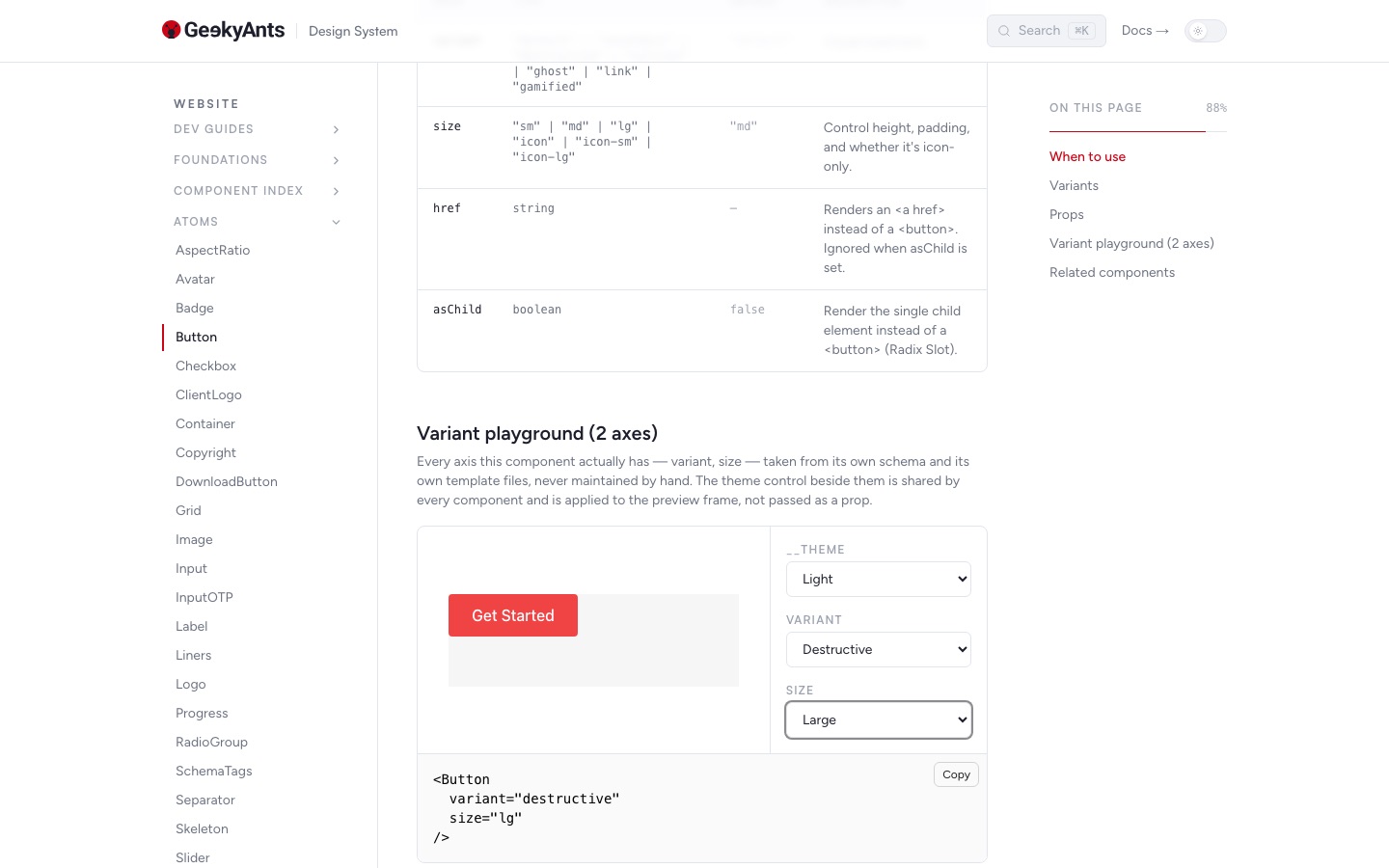
Every component with its variants, props and a playground — generated from the package, never a copy.
How the system is layered
From a colour value to a published page
Two tiers of design tokens feed every component, and every component’s schema becomes something an editor can fill in.
- 1Primitives
- 2Semantics
- 3Components
- 4AntPage
Raw values
531 declarations: colour ramps, spacing, type scale, radius, motion.
Brand ramp
One accent from 50 to 950, tuned in OKLCH.
Roles, not colours
background, foreground, primary, muted, accent, border, ring…
Light & dark
Two themes re-map the same roles.
Variants
Authored looks via cva, alternative layouts via variant templates.
Data layer
Each ships a schema, a CMS bridge and a fixture.
Design Sync
Schemas become content types.
Pages
Editors place components and fill their fields.
- 1Primitives
Raw values
531 declarations: colour ramps, spacing, type scale, radius, motion.
Brand ramp
One accent from 50 to 950, tuned in OKLCH.
- 2Semantics
Roles, not colours
background, foreground, primary, muted, accent, border, ring…
Light & dark
Two themes re-map the same roles.
- 3Components
Variants
Authored looks via cva, alternative layouts via variant templates.
Data layer
Each ships a schema, a CMS bridge and a fixture.
- 4AntPage
Design Sync
Schemas become content types.
Pages
Editors place components and fill their fields.
The brand colour, from 50 to 950
The accent ramp every component draws from. Change it in one place and the whole site follows.
Brand 50
oklch(97.06% 0.0107 277.9)
Brand 100
oklch(93.94% 0.0274 277.9)
Brand 300
oklch(82.7% 0.0871 277.9)
Brand 500
oklch(63% 0.2016 277.9)
Brand 600
oklch(53.79% 0.2259 277.9)
Brand 700
oklch(45.33% 0.1964 277.9)
Brand 800
oklch(35.96% 0.1559 277.9)
Brand 950
oklch(9.85% 0.0327 277.9)
Guidelines, as tokens
The rules a brand book writes down, encoded where components can’t ignore them.
Colour
172 colour tokens
Brand and neutral ramps, mapped to semantic roles so components never hard-code a hex value.
Typography
A full type scale
Sizes, line heights and tracking as tokens; the faces are chosen on the Brand screen — this site is set in Inter.
Spacing
110 spacing steps
One spacing scale for padding, gaps and section rhythm across every component.
Shape
Radius & borders
Corner radii and border widths as tokens, so cards, inputs and buttons agree.
Motion
Durations & easing
Shared timing curves, so every transition on the site moves the same way.
Themes
Light & dark
Both themes re-map the same semantic roles — components switch without changes.
Anatomy of a component
What ships with every component
- React
The component
Built on Radix primitives with the ShadCN styling pattern, and accessible by default.
- Variants
Looks & layouts
Authored looks through cva, and alternative layouts as variant templates.
- Schema
The CMS contract
A typed schema of the fields an editor fills, with a bridge and fixture data.
- Docs
A live page
Every component documented with a variant explorer and light and dark previews.
54 components, in four groups
17 components
Inputs and forms
Button, Input, Textarea, Select, Combobox, Checkbox, Radio group, Switch, Slider, Date picker, File upload, Form…
11 components
Overlays and feedback
Dialog, Alert dialog, Drawer, Sheet, Popover, Hover card, Tooltip, Dropdown and context menus, Alert, toasts…
13 components
Navigation and layout
Tabs, Accordion, Navigation menu, Menubar, Sidebar, Breadcrumb, Pagination, Command, Scroll area, Resizable…
13 components
Content and data
Typography, Card, Product card, Badge, Avatar, Table, Data table, Chart, Pie chart, Carousel, Calendar, Progress…
- FeatureGrid
- FaqSection
- CtaBand
- StatsGrid
- ComparisonTable
- CapabilityGrid
- TestimonialSlider
- MilestoneTimeline
- ProcessSection
- TechStackTabs
- CardGrid
- Carousel
- DataTable
- Chart
- PersonGrid
- LogoGrid
- VideoEmbed
- PageHero
- Accordion
- Dialog
- Tabs
- Combobox
- Calendar
- Button
- Badge
- Switch
For developers
A component’s schema is its CMS form
Declare the fields once, in TypeScript, beside the component. Design Sync turns this into the form an editor sees — limits and all.
Typed
The component’s props are inferred from the same schema.
Validated
Required fields and length limits are enforced on save.
Synced, not re-typed
A schema change shows up as a diff in Design Sync.
Non-destructive
Applying a sync keeps the content already authored.
templates/Hero/HeroDefault/hero-default.schema.ts
export const heroDefaultSchema = [
  {
    kind: "text",
    name: "heading",
    label: "Headline (light lead lines)",
    required: false,
    maxLength: 160,
  },
  {
    kind: "longText",
    name: "subheading",
    label: "Supporting paragraph",
    required: true,
    maxLength: 240,
  },
  {
    kind: "text",
    name: "ctaLabel",
    label: "CTA label",
    description: "Leave blank to hide the CTA entirely.",
    maxLength: 40,
  },
] as const satisfies FieldSchema;
Your brand, set in the CMS
The Brand screen maps your brand onto the design tokens. Pick a colour, a corner style and your fonts, preview them, and publish — every page and every component follows, with no code change.
Brand colour
Pick one colour and the full 50–950 ramp is built from it, keeping the designed contrast. Links, focus rings, badges and brand surfaces follow.
Typography
Choose heading and body fonts from Google Fonts. They are self-hosted on your own storage, never linked from Google.
Corner style
Five roundness levels, from square to soft, applied to every component’s corners at once.
Preview, then publish
Try the theme in the admin’s preview first, then publish it to the whole site in one step.
Readable by default
A colour that would make focus rings hard to see against the page cannot be published.
Versions and restore
Every publish is kept as a version, so you can go back to any earlier brand in one step.
Bring your brand
Your guidelines, our components, one CMS.
Talk to us about theming GeekLego to your brand and running it in AntPage.